WizardForge Suite
Four creative and engineering apps, one subscription
WizardDraw, WizardCAD, WizardMasteryCanvas and WizardRas, started from one launcher, licensed together and designed to work as a team.
Why the Suite
Everything you need to design, build and create.
WizardDraw
Vector design and print production.
WizardCAD
Parametric 3D CAD, simulation and CAM.
WizardMasteryCanvas
AI image, video, 3D and audio studio.
WizardRas
Layered raster editing.
One subscription
A single subscription gives you a license for each of the four apps on the same computers. Each app also keeps its own free 7-day trial.
The same assistant everywhere
Every app has a natural-language command bar.
Plain-words commands and voice
WizardDraw, WizardCAD, WizardMasteryCanvas and WizardRas all take typed or spoken commands.
Script every app
Automation is built into each one.
Scripting in all four
C# scripting in WizardDraw and WizardCAD; scripts with conditions, loops and functions in WizardMasteryCanvas and WizardRas.
Learn once
The same help and habits across the suite.
Show Me, tutorials and built-in help
Interactive hover cards in WizardDraw, tutorial cards in WizardCAD, and a shared help viewer in WizardMasteryCanvas and WizardRas.
Guided tours and tutorials
Interactive tutorials in WizardDraw, tutorials in WizardCAD that check each step against the part, and eleven-lesson guided tours in WizardMasteryCanvas and WizardRas that check your work.
A manual in the launcher
WizardForge has its own Help (F1) that explains the cards and licenses and says where to learn each app once it is open.
Part of the WizardForge suite
The suite stands on its own, and it was built to cooperate with the other WizardForge apps.
Open and run every app from one window
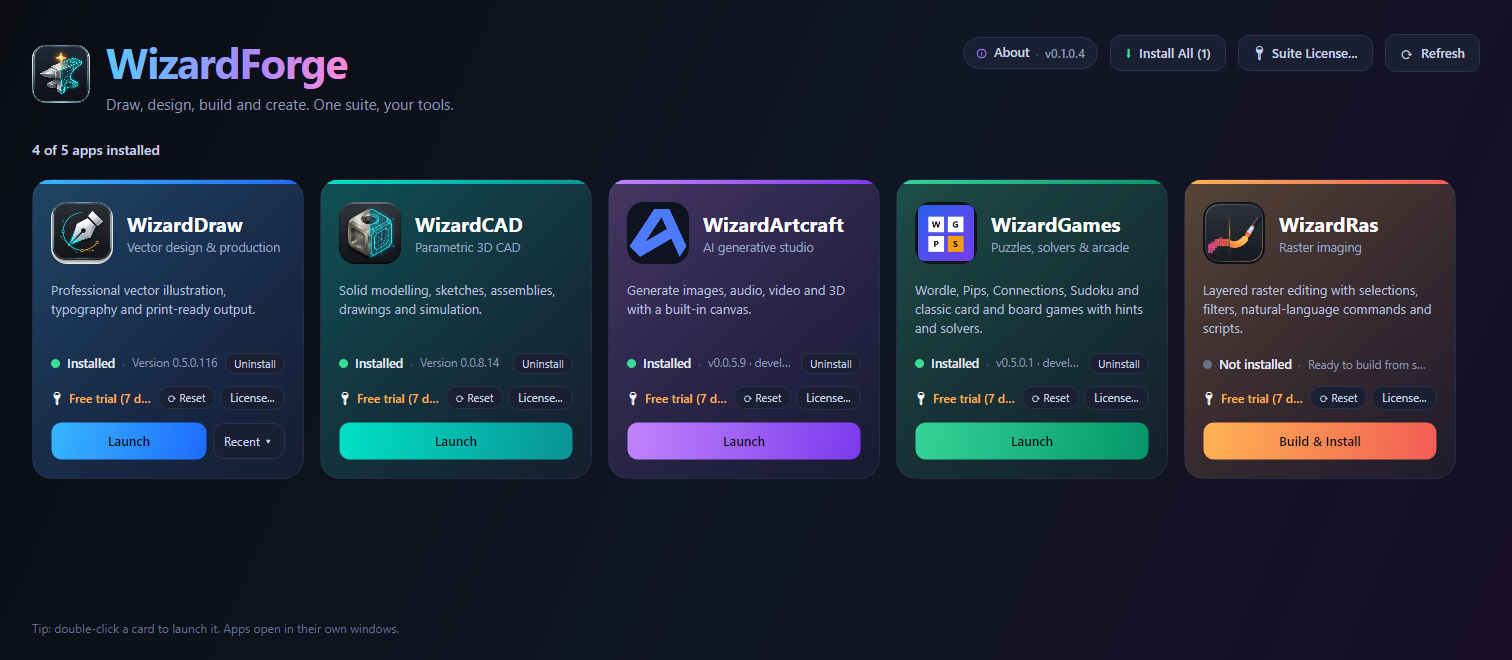
The WizardForge launcher shows each app as a card with its version and license status. Launch any of them with a click or a double-click, jump straight into a recent file, see which ones are running, and install or remove apps.
Send content between apps Coming
A shared exchange layer lets the apps pass vector (SVG), image (PNG) and solid-model (STEP) content to one another by type. It will appear as a "Send to" menu in each app.
The same habits everywhere
A command bar, built-in help, undo and redo, and the License window follow the same pattern in each app, so learning one helps with the next.
One subscription for all four
The WizardForge Suite covers WizardDraw, WizardCAD, WizardMasteryCanvas and WizardRas on the same computers.
Several apps inside one window Coming
Today each app opens in its own window and the launcher keeps them together. Hosting them inside a single WizardForge window is on the roadmap.
Screens
At a glance
- Includes
- WizardDraw, WizardCAD, WizardMasteryCanvas, WizardRas
- Platform
- Windows
- Free trial
- 7 days for each app
Try it yourself
Start with any app: each one has its own free 7-day trial.
Choose an app